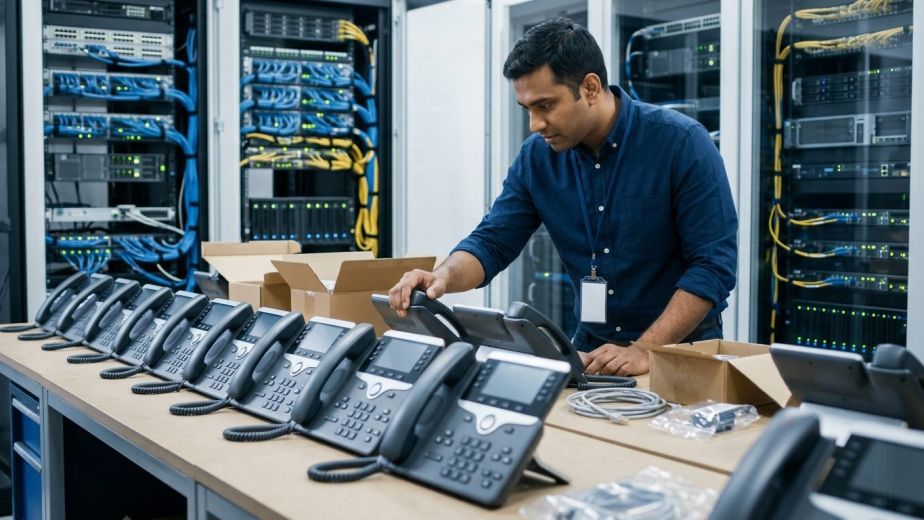
Selecting modern office voip phones involves far more than picking durable desktop hardware. Enterprise procurement teams must evaluate acoustic quality, Power over Ethernet (PoE) demands, local network capacity, and seamless interoperability with centralized communications platforms.
Key takeaways
- Physical desk hardware must align with distinct workplace personas, from receptionists managing heavy call concurrency to mobile floor supervisors.
- Network engineering considerations such as Gigabit Ethernet pass-through and PoE switch power budgets directly dictate call stability and user experience.
- Robust enterprise security requires end-to-end encryption using Transport Layer Security (TLS) and Secure Real-Time Transport Protocol (SRTP).
- Automated provisioning protocols eliminate manual configuration overhead across distributed multi-site branch deployments.
Beyond the Desktop Appliance: Why Office VoIP Phones Are Being Re-architected
Legacy telephone systems treated the desk phone as an isolated appliance tethered to copper cabling. In contrast, modern office voip phones function as intelligent network endpoints running purpose-built firmware. They interface directly with session border controllers, private branch exchanges (PBX), and unified communications platforms to support dynamic organizational workflows.
Enterprise communications have experienced significant structural shifts. For instance, FinancialContent reported that RingCentral (NYSE:RNG) surprised the market with its Q3 2026 sales, driving a 14.8% jump in its stock price. This trend highlights the expanding demand for versatile enterprise communication architectures. Desk endpoints are no longer static fixtures. Instead, modern hardware integrates directly with cloud environments, offering extension roaming, synchronized address books, and seamless presence indicators.
Operational resilience is another primary catalyst driving this architecture refresh. Workplace environments frequently encounter unexpected operational shifts. As People Matters Global reported, Saudi Aramco ordered staff to work remotely following a Dhahran HQ evacuation. In scenarios requiring rapid dispersal, modern SIP endpoints allow organizations to maintain operations smoothly. Staff can move between physical offices and remote workspaces while retaining their centralized extension profiles, call routing hierarchies, and voicemail accounts without reconfiguring the underlying PBX.
Mapping Hardware to Work Roles: Executive, Reception, Cubicle, and Mobile
A frequent mistake in corporate procurement is issuing identical telephone hardware across all departments. Different job functions place entirely different technical and ergonomic demands on desktop equipment. Segmenting deployment by user persona prevents both overspending on standard workstations and under-equipping high-volume roles.
High-Density Reception and Call Dispatch
Front-desk personnel and switchboard operators oversee simultaneous incoming lines, department transfers, and executive availability. These stations require business desk phones equipped with multi-page Busy Lamp Field (BLF) keys and Direct Station Selection (DSS) consoles. Touchscreen interfaces and expansion sidecars allow operators to direct calls with minimal keystrokes, reducing caller wait times.
Knowledge Workers and Shared Cubicles
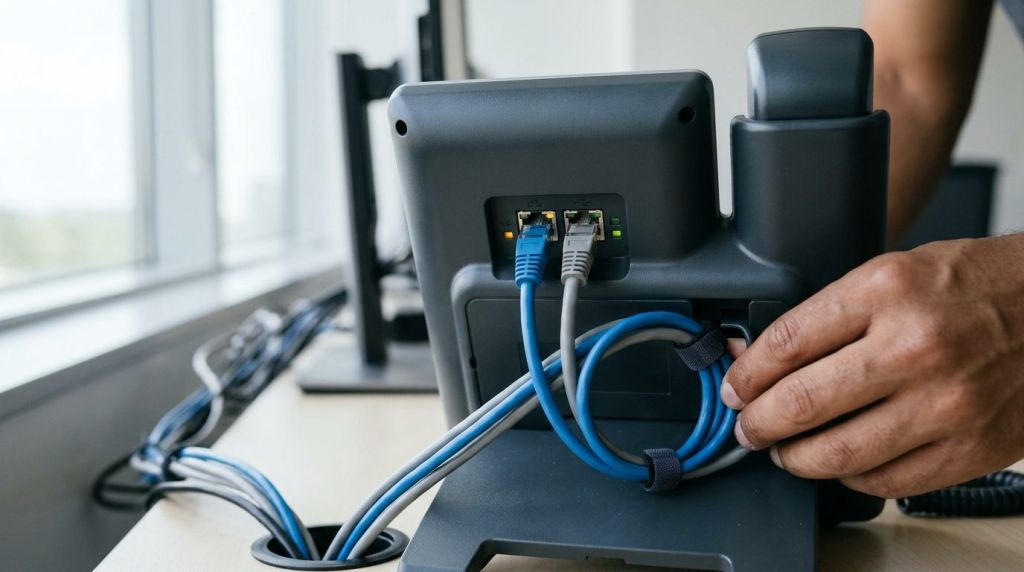
Standard information workers require reliable, space-efficient sip phones for office desks that prioritize acoustic clarity over complex line-monitoring arrays. Essential features include intuitive transfer keys, dedicated mute and speaker buttons, and native integration with hands-free wired or wireless headsets. Dual-port Gigabit connectivity is vital to support computer workstations over a single structured data drop.
Executive Workspaces
Executive desk phones focus on high-fidelity audio engineering, larger color displays, and streamlined Bluetooth pairing for mobile handoffs. These units often feature advanced speakerphone chambers, multiple microphone arrays with beamforming technology, and video call capabilities for point-to-point SIP conferencing.
Mobile and Operational Staff
In warehouses, hospitality venues, and healthcare facilities, workers rarely remain tethered to a static workstation. These environments depend on ruggedized Digital Enhanced Cordless Telecommunications (DECT) handsets or voice-optimized Wi-Fi endpoints. Multi-cell DECT systems provide seamless roaming across expansive square footage without dropped calls, paired with durable enclosures resistant to drops, dust, and moisture.
Critical Hardware and Network Specifications IT Directors Must Audit
When creating an ip phone selection guide, IT leaders must evaluate underlying hardware specifications that influence long-term network performance. Deploying modern enterprise voip phones without auditing local network infrastructure leads to performance degradation and hardware failures.
| Hardware Specification | Minimum Standard | Operational Impact |
|---|---|---|
| Network Pass-Through | Dual Gigabit (10/100/1000 Mbps) | Prevents downstream local PC network bottlenecks on single-drop wall ports. |
| PoE Class Rating | IEEE 802.3af (Class 2 or Class 3) | Dictates switch wattage consumption and thermal load across network closets. |
| Audio Codec Support | Opus, G.722, G.711u/a | Maintains wideband HD voice clarity while adjusting dynamically to bandwidth fluctuations. |
| Security Protocols | 802.1X, TLS 1.3, SRTP | Guarantees network admission control and prevents call eavesdropping or SIP spoofing. |
| Peripheral Interfaces | USB 2.0/3.0, RJ9, Bluetooth 5.0 | Accommodates noise-cancelling commercial headsets and external expansion consoles. |
Power over Ethernet switch planning demands careful calculation. While a baseline SIP handset might consume only 3 to 5 watts under IEEE 802.3af Class 2, advanced executive sets with large backlit touchscreens and expansion modules can draw up to 12 watts or more. If an IT department populates a 48-port switch without calculating total PoE budgets, the switch will drop power to lower-priority ports during peak operational hours, causing sudden endpoint reboots.
For enterprise-wide stability, voice traffic must be separated from routine data traffic. Implementing dedicated voice VLANs, configured alongside Quality of Service (QoS) markings such as Differentiated Services Code Point (DSCP) tagging, guarantees audio packets receive top forwarding priority across network switches and edge routers. Organizations seeking complete architectural guidance often consult comprehensive resources like our VoIP network requirements and QoS checklist to prepare their infrastructure.
PBX Interoperability, Auto-Provisioning, and Fleet Management
Manual handset configuration via individual web interfaces is inefficient and unmanageable at scale. Enterprise-grade office voip phones must support centralized fleet provisioning through open standards and vendor redirection infrastructure.
Modern deployments rely on automated device redirection platforms, such as the 3CX auto-provisioning system, to automate hardware configuration. When an unboxed phone connects to the network and receives an IP address, it queries a Redirection and Provisioning Service (RPS) or utilizes local DHCP Option 66. The phone automatically downloads its designated configuration profile, extension credentials, and firmware updates via encrypted HTTPS sessions.
Organizations standardizing on software and appliance communications platforms, including Yeastar business communications systems, benefit significantly from robust auto-provisioning. Centralized templates enforce uniform security policies across the fleet, such as changing default administrator passwords, locking down local web management access, and applying standardized dial plans across regional office branches.
The Hybrid Workspace Fit: Hot-Desking, Headsets, and Softphone Handoff
Modern workplaces rarely feature dedicated single-occupant cubicles. Dynamic desk sharing, flexible scheduling, and hybrid working models require hardware capable of quick, frictionless personalization.
Modern hot-desking allows any team member to sit at an open desk, enter their unique PIN or scan a dynamic QR code on the display, and immediately transform that hardware into their personal extension. The phone pulls their call forwarding preferences, contacts, and personal voicemail settings instantly. When their shift concludes, logging out clears the local cache, protecting sensitive customer call logs and corporate directories.
Acoustic performance in open-plan offices also depends heavily on headset compatibility. Commercial business desk phones feature integrated USB ports and specialized headset electronic hook switch (EHS) ports. This hardware supports active noise-cancelling headsets, filtering out ambient office noise so conversations remain professional and legible.
Finally, desktop hardware must coexist with desktop and mobile softphones. Through dual-registration protocols, an employee’s mobile device and desktop endpoint ring simultaneously. Calls can be transferred seamlessly between the physical handset and mobile application mid-conversation, preserving call continuity without forcing clients to redial.
Procurement Checklist and Total Cost of Ownership (TCO)
Evaluating the total cost of ownership goes beyond the initial hardware purchase price. Deploying the best office voip phones requires analyzing maintenance contracts, firmware stability, component failure rates, and hardware replacement cycles.
- Lifespan and Warranty Coverage: Look for commercial-grade SIP endpoints with typical lifecycles of four to six years. Verify that the hardware distributor provides clear Return Merchandise Authorization (RMA) terms and advance hardware replacement options.
- Spare Unit Inventory: Maintain an on-site hardware reserve of roughly three to five percent of your total fleet size. Having pre-configured reserve phones allows local office managers to swap defective hardware in minutes without waiting for external warranty shipping.
- Firmware Support Policies: Choose established hardware manufacturers that provide active security patches, vulnerability resolutions, and firmware updates for at least three years after a hardware model reaches end-of-sale status.
- Interoperability and Open Standards: Avoid hardware lines that use proprietary communication protocols designed to lock your company into a single PBX vendor. Open SIP compliance ensures your endpoints remain functional even if your organization migrates to an alternative PBX or cloud platform later.
- Environmental Durability: In industrial or high-traffic areas, select hardware built with high-grade plastics, scratch-resistant displays, and sealed keypads that resist dirt and liquid ingress.
Working alongside an experienced technical partner streamlines hardware deployment, network tuning, and device lifecycle management. Call Experts supports organizations in selecting, deploying, and maintaining enterprise communication infrastructure designed around operational resilience and user productivity.
Equipping Your Enterprise for Reliable Communications
Modern office telephony endpoints serve as mission-critical communication hubs for knowledge workers, management teams, and operational staff. Balancing acoustic quality, PoE switch loads, robust zero-touch provisioning, and agile hot-desking capabilities allows businesses to build an adaptable communication ecosystem that withstands technical and operational disruption.
Whether upgrading an aging on-premise PBX, deploying dynamic hot-desking for hybrid staff, or building a high-capacity multi-site corporate voice network, thoughtful hardware selection forms the foundation of operational reliability. Contact Call Experts to discuss your telephony requirements, schedule a technical network audit, and request customized hardware recommendations tailored to your organization’s workflows.
Frequently asked questions
What is the standard lifespan of modern enterprise VoIP desk phones?
Enterprise SIP desk phones typically have an active operational lifecycle of four to six years. Hardware longevity depends on component durability, power supply quality, and regular manufacturer firmware updates that resolve security vulnerabilities and maintain PBX interoperability.
Why is Gigabit Ethernet pass-through essential for office desk phones?
Most office cubicles use a single network wall drop shared between a desk phone and a computer. A Gigabit pass-through port ensures that connecting the computer through the phone does not throttle the PC's network connection speed down to 100 Mbps.
How does hot-desking work on modern IP desk phones?
Hot-desking allows users to sign into any shared desk phone using an extension number and PIN or a QR code. The phone temporarily loads the user's specific extension, BLF keys, voicemail, and dialling permissions until they log out.
Can business VoIP phones work reliably over office Wi-Fi networks?
While voice-dedicated Wi-Fi phones work well in coverage-controlled environments, hardwired PoE connections remain the gold standard for desktop voice. Hardwired Ethernet prevents the latency spikes, packet loss, and channel congestion common on busy wireless networks.
Sources
- Saudi Aramco orders staff to work remotely after Dhahran HQ evacuation — People Matters Global, 2026-10-23
- RingCentral (NYSE:RNG) surprises with Q3 2026 sales, stock jumps 14.8% — FinancialContent, 2026-10-22