Achieving a reliable video intercom voip integration allows organisations to connect perimeter security directly with their primary unified communications platform. By converting physical entry gates and front doors into standard SIP endpoints, facilities and IT teams eliminate fragmented hardware while maintaining total visitor visibility. This guide provides an engineering-grade roadmap for connecting external door stations to corporate IP PBX systems and desktop video phones.
Key takeaways
- Unify front desk operations by replacing standalone door monitors with standard desktop IP video phones.
- Enable SIP early media and align H.264 profiles so reception staff can view live camera feeds before answering.
- Configure DTMF relay controls to trigger magnetic locks and electromechanical door strikes securely from telephone keypads.
- Protect perimeter network drops using dedicated voice VLANs, 802.1X port authentication, and strict firewall access control lists.
Why Front Desks Struggle with Isolated Intercom Systems
Front office teams frequently face operational friction when managing building access. In many commercial properties, receptionists must juggle a legacy wall-mounted analogue buzzer, a proprietary tablet running vendor-specific access software, and an enterprise desk phone. This fractured setup leads to delayed visitor responses, missed deliveries, and compromised physical security when staff step away from dedicated wall monitors.
Consolidating these tools solves an everyday operational problem: can i integrate a video door intercom with our cisco voip phone system so receptionists receive calls on their desk phones? Yes. Unifying building entry directly into your enterprise voice platform routes visitor calls to existing desk phones, hunting groups, and mobile clients simultaneously. This integration improves greeting efficiency, centralises call audit logging, and lowers hardware maintenance costs across corporate facilities.
Architectural Overview: How SIP Video Intercoms Interface with IP PBX Systems
A modern video intercom voip integration treats the exterior door station as a standard SIP user agent. Rather than relying on closed analogue loops or proprietary multi-tenant servers, modern IP door stations communicate directly with your IP PBX—such as Cisco Unified Communications Manager (CUCM), 3CX, or Yeastar P-Series platforms.
Architecturally, organisations can implement one of two signaling approaches:
- Direct Peer-to-Peer SIP: The intercom places a call directly to the IP address of a dedicated desk phone using standard SIP signaling on port 5060. While simple to deploy in single-door standalone units, this method bypasses the central phone system, preventing call recording, hunt group failovers, and multi-desk routing.
- PBX Extension Registration: The door station registers directly to the IP PBX with its own extension number and SIP credentials. When a visitor presses the call button, the PBX treats the interaction like an internal call. It can trigger simultaneous ring groups, apply time-of-day call forwarding rules, and transfer calls across sites without custom bridging hardware.
For organisations operating flexible voice platforms, deploying the station as a registered extension inside platforms like 3CX Business Communications or Yeastar Business Communications guarantees high availability and full reporting for every entry request.
Resolving Video and Audio Codec Compatibility for IP Door Stations
The most common failure point during an ip door station desk phone video deployment is the “blank screen” issue. Often, two-way audio functions smoothly, but the receiving desk phone fails to render the video stream. This issue almost always stems from misconfigured video payload types, unsupported H.264 baseline profiles, or improperly handled early media negotiation.
H.264 Profiles and Resolution Matching
Enterprise video desk phones and SIP intercoms negotiate visual data via Session Description Protocol (SDP). Most enterprise video phones support the H.264 codec, but they are often restricted to the H.264 Baseline Profile (Level 1.2 to 3.1) and specific packetisation modes (typically Mode 0 or Mode 1). If your door station transmits using H.264 High Profile or attempts to push an uncompressed 1080p stream at 30 frames per second, the digital signal processor (DSP) on the desk phone may reject the video payload entirely. Setting the intercom’s secondary SIP stream to 720p or standard VGA (640×480) at 15 to 20 frames per second ensures consistent playback across hardware generations.
Configuring SIP Early Media (RFC 3960)
Security protocols require receptionists to visually identify visitors before lifting the handset. Under standard SIP call establishment, two-way RTP media streams only establish after a 200 OK response is sent when the call is answered. To bypass this, your phone system and endpoints must support early media defined by IETF RFC 3960.
With early media enabled, the PBX sends a 183 Session Progress message containing the intercom’s SDP offer. This establishes a one-way RTP video channel immediately, rendering the visitor’s live video stream on the screen of the sip video door intercom desk phone while the handset is still ringing on the hook.
Step-by-Step Configuration: SIP Endpoint Setup and Ring Group Routing
Deploying a robust video intercom voip integration requires precise configuration across the physical unit, the local switching fabric, and the call control software. Follow this procedural workflow to commission the system cleanly:
- Assign Static Addressing: Assign a reserved static IPv4 address, subnet mask, default gateway, and internal DNS server to the door station via DHCP reservations matching its MAC address.
- Create PBX SIP Extension: Create a standard generic SIP extension on the PBX. Configure a complex alpha-numeric SIP authentication password and enable video calling flags on the extension profile.
- Configure the Door Station: Access the intercom’s administrative interface. Enter the PBX IP address, SIP port (standard 5060 for UDP/TCP or 5061 for TLS), extension identifier, and password. Enable G.711u/a for audio along with H.264 for video transmission.
- Program Call Button Behaviour: Direct the physical call button to dial the primary reception hunt group or ring group rather than an individual extension.
- Establish Hunt Group Logic: Configure your PBX ring group using a simultaneous ring strategy across primary reception video phones. Set a 20-second timeout ring rule that falls back to secondary administrative softphones, building security, or off-site mobile apps.
If you encounter complex routing across branches, review our technical guide on networking and IT infrastructure to ensure smooth inter-VLAN multicast and unicast traffic delivery.
Remote Door Strike Control: Configuring Door Strike DTMF VoIP Signaling
An enterprise door integration must allow operators to grant physical entry without abandoning their workstations. Integrating door strike dtmf voip relays enables reception staff to pulse the physical lock simply by tapping a predefined digit sequence on their telephone keypad during an active call.
DTMF Relay Transport Methods
DTMF signals can travel across VoIP networks in three distinct ways:
- In-band Audio: Tones are encoded directly into the voice stream. This method is highly vulnerable to lossy compression, which frequently causes the door relay to miss digits.
- RFC 2833 / RFC 4733 (Out-of-Band RTP): Dual-tone multifrequency events are carried as dedicated RTP packets (typically payload type 101). This is the enterprise industry standard and offers the most reliable triggering.
- SIP INFO (Signaling-based): DTMF events are encapsulated in SIP INFO control messages. This is highly reliable but requires direct support from both PBX firmware and the intercom.
For flawless door release operations, standardise your intercom and video desk phones on RFC 2833 signaling.
Wiring and Locking Hardware Safety Considerations
Door strikes and magnetic locks operate under two primary electrical principles. Fail-secure locks require continuous electrical power to unlock, ensuring the perimeter remains latched if power drops. Fail-safe locks (such as electromagnetic shear locks) require continuous power to stay locked, automatically unlocking during power interruptions to satisfy life safety fire codes. Always install a dedicated external access control power supply unit with battery backup and link your physical relays directly to the building fire alarm control panel (FACP) to trigger emergency egress overrides automatically.
Hardware Compatibility: Matching Intercoms with Video Desk Phones
Choosing compatible endpoints eliminates headaches when implementing a multi-vendor video intercom voip integration. While standard SIP governs the base call, distinct manufacturers implement hardware decoding slightly differently.
| Intercom Hardware | Target Desk Phone | Supported Codecs | Integration Architecture | Key Technical Consideration |
|---|---|---|---|---|
| Fanvil i-Series (i16V, i64) | Yealink T58W / VP59 | H.264, G.722, G.711 | Native SIP PBX Extension | Requires matching packetisation modes to avoid one-way video display. |
| Fanvil i30V / i32V | Fanvil V67 / X7A | H.264, G.711a/u | PBX or Peer-to-Peer | Supports native pre-configured visual RTSP action keys on screen. |
| 2N IP Verso / Force | Cisco 8845 / 8865 | H.264, G.722, G.711 | Cisco CUCM SIP Trunk | Requires proper CUCM Phone Security Profiles and SIP Early Media enabled. |
| Akuvox R29C / E12W | Yealink T58W / Softphone | H.264, H.265, G.711 | Cloud or On-Premise PBX | Ensure secondary stream RTSP URL is used if the primary stream exceeds 720p. |
Executing a dependable fanvil video intercom integration alongside Yealink or Fanvil desktop monitors offers one of the most cost-effective and functionally robust ecosystems available today. However, companies maintaining a Cisco Unified Communications environment require specialised design experience to ensure third-party SIP intercom endpoints register and exchange video media predictably.
Solving Cisco VoIP Intercom Integration Challenges
Deploying a cisco voip intercom integration inside an existing enterprise infrastructure requires specific configurations within Cisco Unified Communications Manager. Because Cisco endpoints strictly enforce enterprise security and signaling standards, third-party SIP intercoms must be adapted to integrate smoothly with Cisco 8845 and 8865 series video desk phones.
When provisioning third-party stations inside CUCM:
- Create the intercom as a Third-Party SIP Device (Advanced) rather than a standard Cisco endpoint to prevent registration rejections.
- Assign a dedicated SIP Profile that enables “Early Offer support for voice and video calls (insert MTP if needed)” to ensure SDP negotiation carries the H.264 payload before the receiver lifts the handset.
- Ensure that the intercom device security profile does not enforce encrypted transport unless you have uploaded trusted X.509 CA certificates to both CUCM and the door station.
For organisations reviewing their broader communication infrastructure, consulting an experienced provider like Call Experts ensures that enterprise telecommunications frameworks work harmoniously with existing physical security investments.
VLAN Segmentation and Cyber Hardening for Perimeter Endpoints
Placing an enterprise RJ45 network drop outside your building perimeter creates physical and cyber vulnerabilities. An intruder could pull the video intercom off the exterior wall, disconnect the patch cable, and plug in a rogue laptop. Without proper network security, they gain direct, authenticated access to your internal corporate infrastructure.
To prevent perimeter breaches during a video intercom voip integration rollout, enforce these network hardening rules:
- VLAN Isolation: Never route exterior door stations into an internal office or administrative network. Place all intercoms in a dedicated, isolated Voice or Physical Security VLAN with no direct access to corporate data subnets.
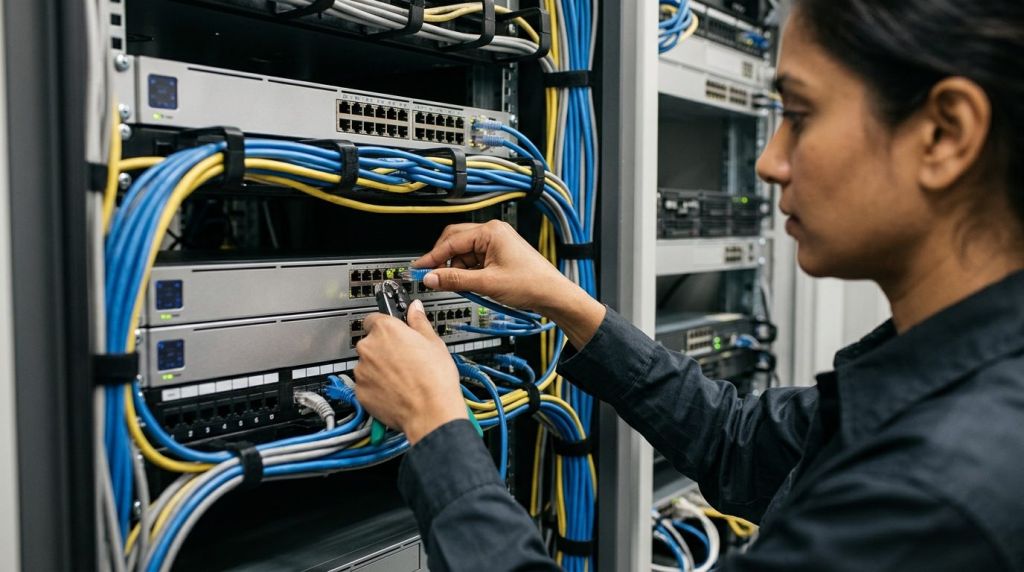
- 802.1X Port Authentication: Enforce 802.1X Network Access Control (NAC) on perimeter switch ports. The switch will automatically isolate the port if the MAC address or cryptographic certificate does not match the registered door station.
- Managed Port Security: If your hardware does not support 802.1X, lock the managed switch port to the specific MAC address of the intercom, setting the port violation mode to shutdown if the link drops or another device connects.
- Firewall Access Control Lists (ACLs): Restrict the intercom’s network traffic entirely. Allow communication only to the PBX IP address on ports 5060/5061 (SIP) and defined UDP RTP voice and video port ranges. Deny all general outbound internet traffic, blocking external command and control vectors.
Securing network hardware at the physical perimeter should be done alongside comprehensive cybersecurity solutions to protect endpoints, servers, and telephony backbones against unauthorized lateral movement.
Achieve Seamless Visitor Access Control with Call Experts
Modernising perimeter access control does not require investing in isolated intercom monitors or separate proprietary platforms. Integrating your exterior door stations with enterprise VoIP PBX networks gives your team full visual verification, streamlined call routing, and convenient door release controls directly through their everyday desk phones.
Whether you need to configure early media video previews on desk phones, design secure network VLAN segmentation, or resolve multi-vendor SIP signaling incompatibilities, Call Experts brings pragmatic engineering expertise to your enterprise communication environment. Contact our telephony team today to plan and execute a unified, reliable video intercom solution tailored to your operational workflows.
Frequently asked questions
Can I see video on my desk phone before answering an intercom call?
Yes, provided your door intercom and PBX support SIP early media (RFC 3960). Early media delivers a one-way H.264 video stream immediately when the call rings, allowing reception staff to identify the visitor visually before picking up the handset.
How does a desk phone unlock a connected door during a call?
The desk phone transmits a Dual-Tone Multi-Frequency (DTMF) tone, usually configured as an RFC 2833 out-of-band packet, when a key (such as '#') is pressed. The intercom detects this tone and triggers its built-in dry contact relay to release the lock.
Do video intercoms work with Cisco Unified Communications Manager (CUCM)?
Yes. Third-party SIP video intercoms can integrate with CUCM when provisioned as Third-Party SIP Devices. Early Offer must be enabled on the SIP profile, and video capabilities must be aligned to compatible H.264 profiles to display feeds on Cisco 8845/8865 phones.
What happens if someone unplugs the outdoor network cable from the intercom?
If an outdoor Ethernet cable is unplugged, modern security protocols protect your corporate network. Switch ports secured with 802.1X or MAC address port security will automatically disable the port instantly, preventing unauthorised lateral network access.